




The numbers don't match
Platform ROAS rarely matches what shows up in Shopify.
Compare ad spend against real Shopify revenue. See what's working, what's wasting money, and where to shift budget next.
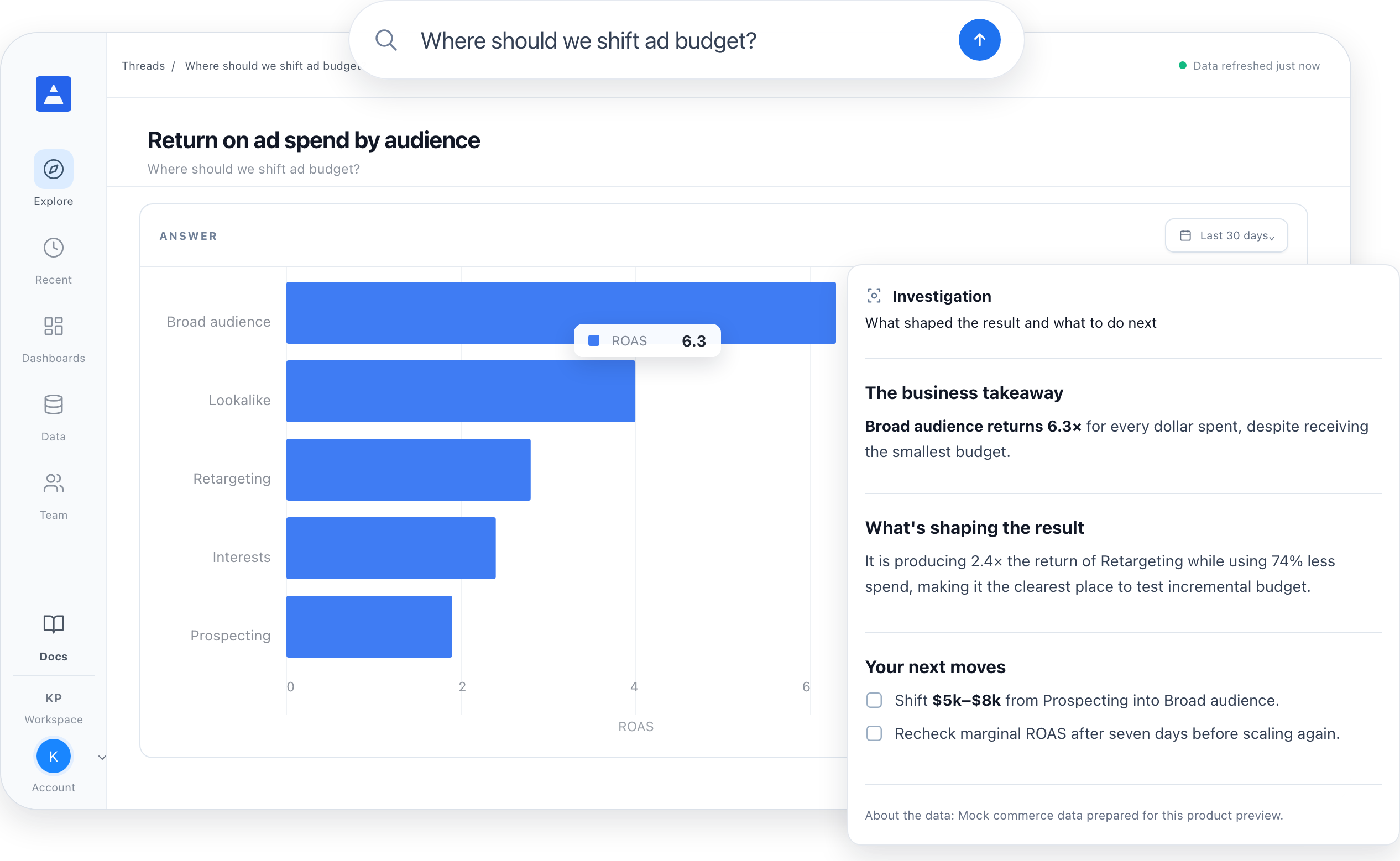
Google and Meta both take the credit. You still don't know where your next dollar should go.
Platform ROAS rarely matches what shows up in Shopify.
Comparing Google and Meta means exports and spreadsheets.
Cheap traffic can still bring low-value buyers.
Every insight leads to action. Every recommendation comes with the reasoning. And every step is visible, so you stay in control.
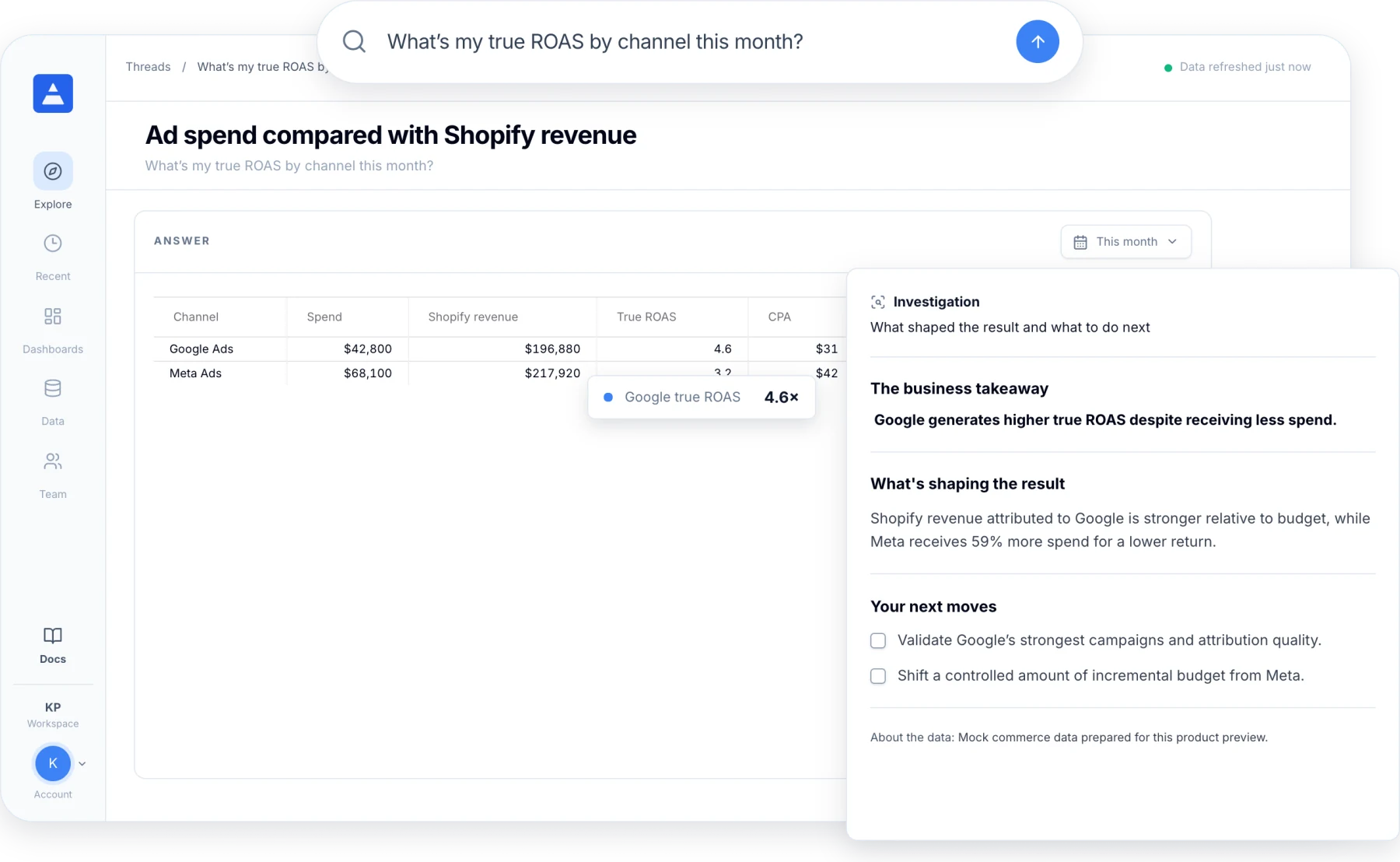
Spend, revenue, and ROAS across Google and Meta. Measured against real Shopify revenue, not platform numbers.
“What's my true ROAS by channel this month?”
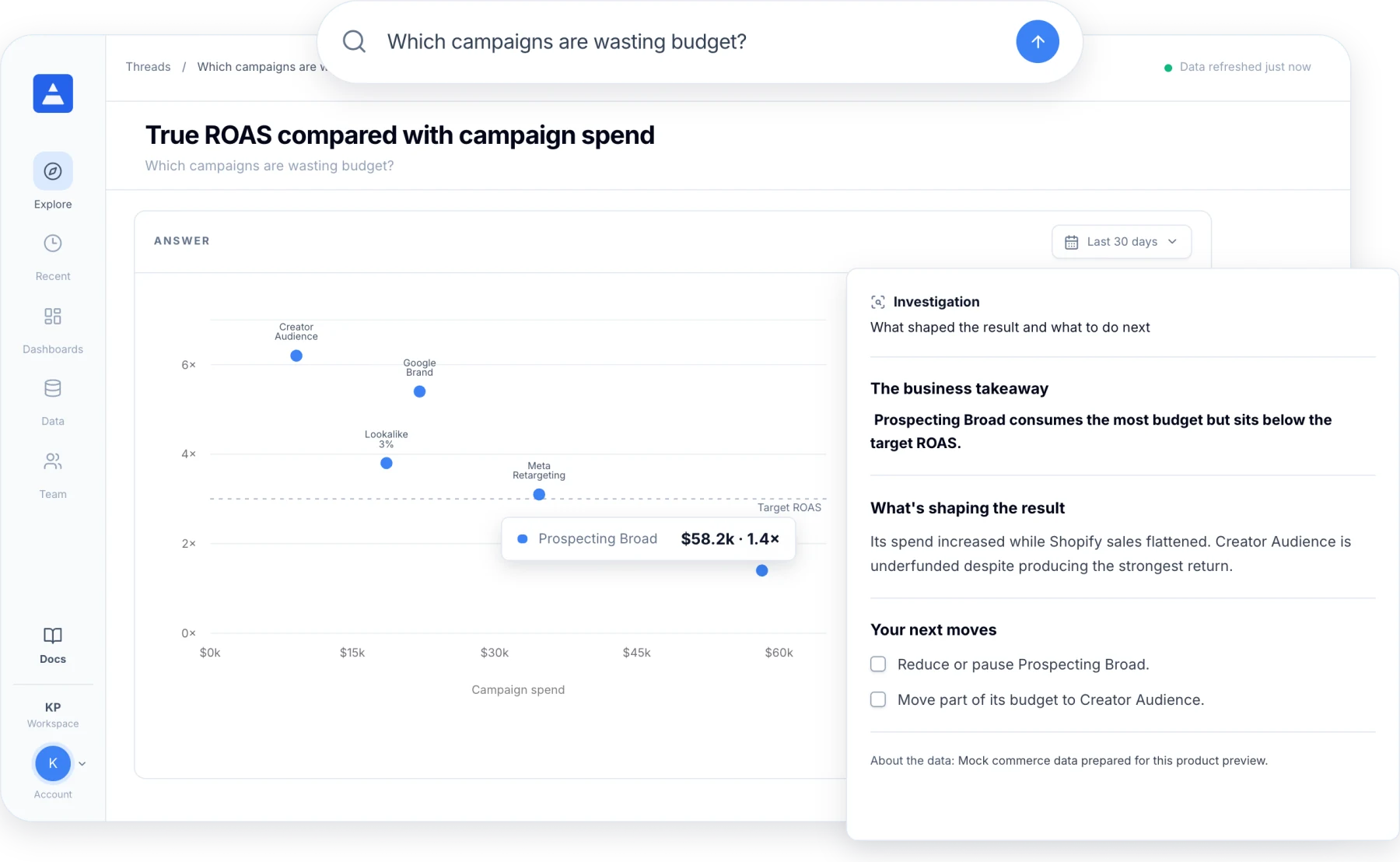
“Which campaigns are wasting budget?”
Spot campaigns that take more budget than they return. And audiences that deserve more.
“Where should I shift spend next week?”
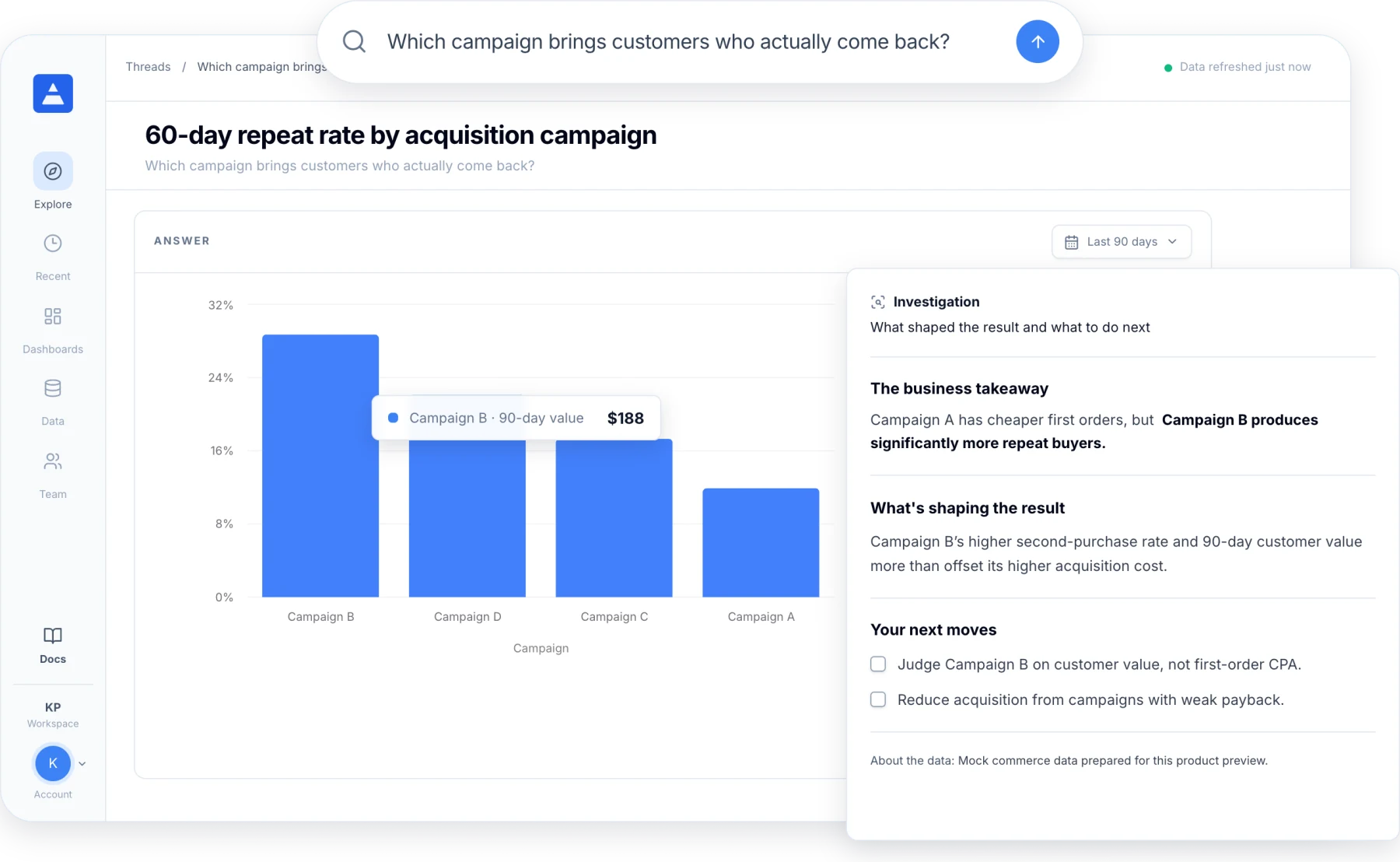
“Is Google or Meta bringing better customers?”
Cheap orders aren't always good customers. See which campaigns bring buyers who come back.
“Which audience has the best ROAS?”
“Why did CPA go up last week?”
Shopify revenue divided by ad spend. Not the number the ad platform reports.
No. Keep your pixel tool for creative-level tracking. Daymark tells you where the money is going and what to change.
Yes. You get clear recommendations with the reasoning. You make the call.
Connect your ad accounts and store. Get your true ROAS in minutes.