Make Meta Ads reporting simple and consistent
Meta campaign performance changes fast, and reporting can get scattered across views and exports. Connect Meta Ads to Daymark to monitor performance with clear dashboards your team can share.
Meta reporting is hard to keep clean
Creative changes quickly
Performance can shift fast and be missed in manual reports.
Breakdowns add complexity
Audiences, placements, and formats make comparison harder.
Attribution differences
Platforms may report different results for the same period.
How Daymark works with Meta Ads
Track Meta performance with dashboards you can share
Connect your Meta ad account, ask questions about spend and outcomes, then save the best views to a dashboard. This supports faster decisions on what to scale or pause.
Connect Meta Ads
Sign in with OAuth and connect one or more ad accounts with read-only access.

Ask a question
Ask about spend, results, and performance by campaign, ad set, or ad.
Build a dashboard
Save performance views to dashboards for weekly reviews and sharing.
An AI workspace for trustworthy metrics
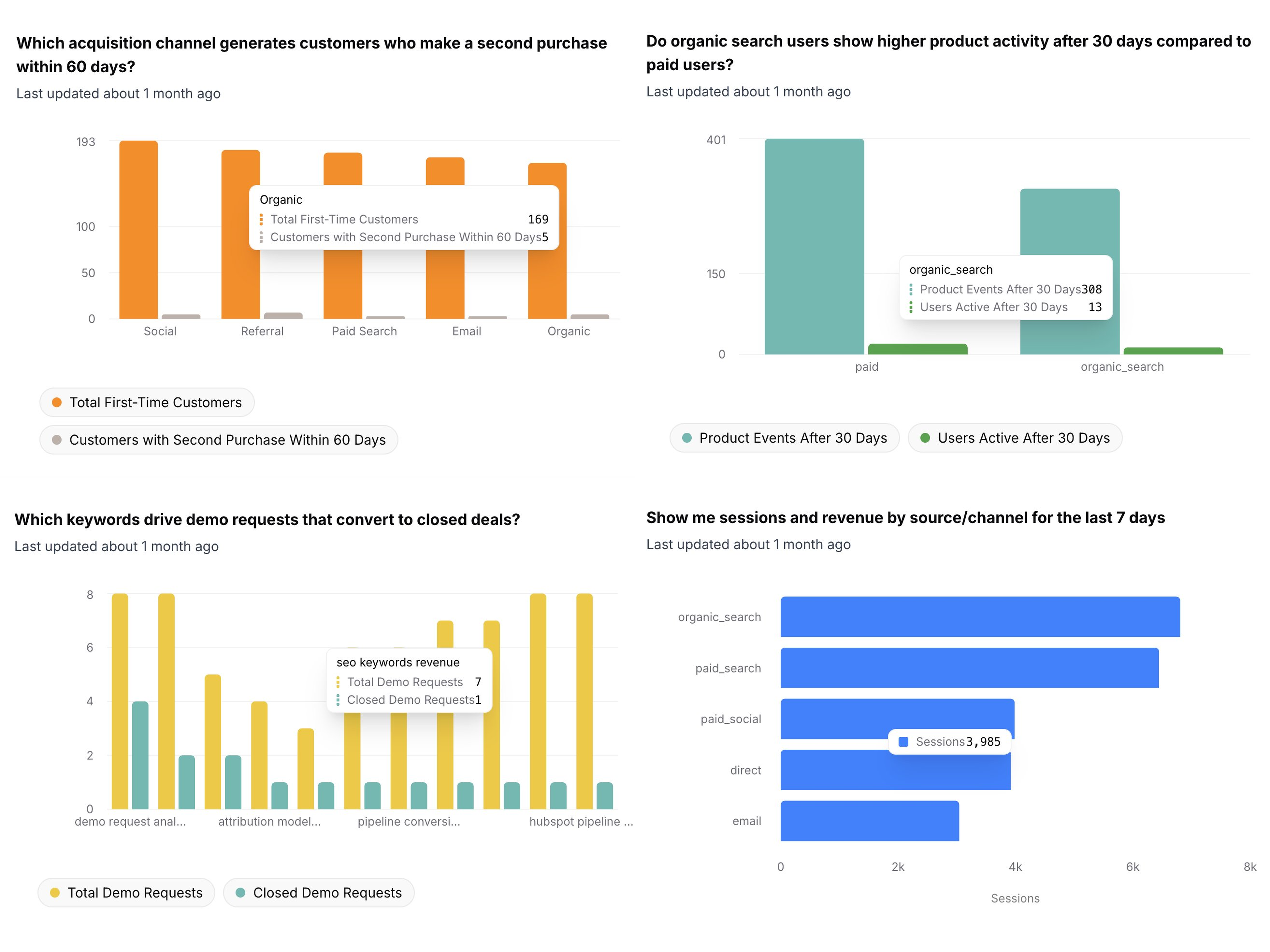
Ask questions in plain English, use data from multiple sources, and save answers as dashboards your team can share. No SQL required.
Ask questions and get clear answers
Ask a question and Daymark returns a chart, table, or summary that answers it. Save the result when it is useful.
Use multiple data sources in one place
Bring key metrics from tools like HubSpot, Ads, Analytics, Sheets, and Postgres into one workspace.
 HubSpot
 Google Ads
 Google Analytics
Dashboards your team can share
Save answers to dashboards so your team can review the same metrics. Share dashboards for weekly updates, planning, and reviews.
Your data stays yours
Daymark is built for teams that handle sensitive business data. Read-only access, minimum permissions, and AI that never trains on your data.
Access
Read-only access with least privilege
Daymark uses the minimum scopes required for every integration and never writes to your production systems. All connectors are read-only by design.
- Read-only connectors
- No production writes
- Scoped database access
AI safeguards
Built for safe AI analysis
Our AI agents work only with schema metadata and limited query results to generate insights. Your underlying data is never used to train models.
- No training on your data
- AI agents cannot modify your systems
Connect Meta Ads in Daymark
Start exploring your data with read-only access in minutes.